Putting AI To Work on Your Greatest GTM Constraint, Revisited
 Matt Heinz
Summary
We revamped our spring workshop for a larger audience this week. From three key constraints to one 30-day commitment, plus the deck, four-page worksheet and guide to running it internally. The expanded version pushes teams past the AI directive to the real constraint underneath it, tagging each one as a capability, governance, or work-design gap before any tool gets discussed.
On Tuesday afternoon in Las Vegas I got two hours with a room full of GTM leaders at 6sense Breakthrough, and we spent as little time as possible talking about AI tools.
This was by design. I originally built this workshop for a couple of spring conferences and posted the materials here afterward. That version still works great, but we rebuilt it for two hours instead of just one. It now includes a four-page worksheet each person fills in on their own and then works through with their table, with a commitment at the end including SMART goals and milestones.
A table round of 5-8 people from various companies works great here, especially since they can share various perspectives on common GTM constraints. It works just as well with your own marketing or GTM leadership team, which is frankly where I’d point most of you first. Everything you’d need to run it is at the bottom of this post.
Why does the workshop format matter at all? Because most of us have this conversation between meetings, in frantic email threads and Slack sessions, and we never get the oxygen to find the real constraints that matter. Taking a couple of hours with a proven structure to figure out what can really be changed to drive impact in the next 30-90 days is real value, whether you do it at a conference or in your own conference room.
Here’s how it runs (with all slides, run-of-session notes and worksheets available at the bottom).
The first 25 minutes are about the problem
Ask a room of GTM leaders to name the biggest constraint in their go-to-market motion and the same list comes back just about every time. Data silos. Broken (or nonexistent) processes. SDR and BDR productivity. Lead conversion. Change management that never sticks.
Ask that same room what the top priority is for the next couple of quarters and almost everyone says AI.
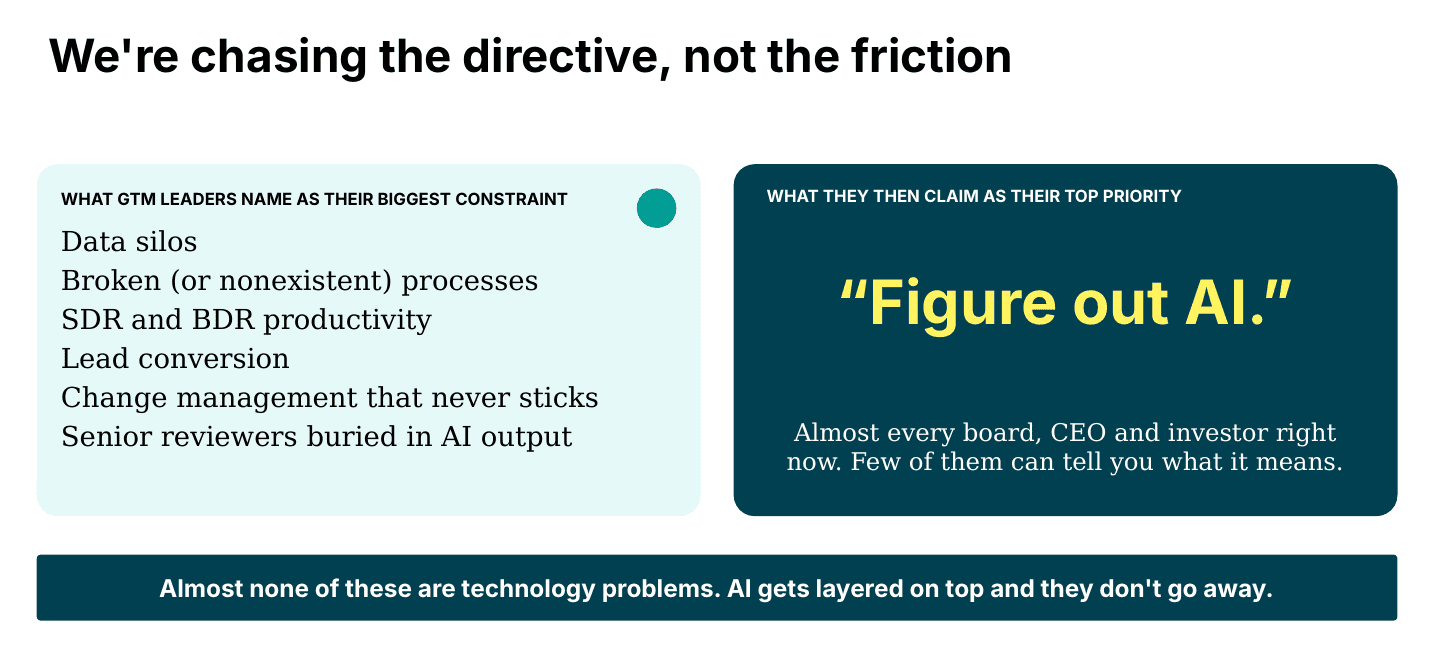
Nobody in the room is confused about this. Somebody above them said “figure out AI,” and too often the people doing the asking still won’t be able to say what that means.
So to address their request we simply get busy. We run pilots, buy licenses, go to workshops (like mine). And very little of it touches a single item on the first list. The slide I put up at this point says we’re chasing the directive, not the friction. We’re addressing priorities two through five and leaving number one, arguably the most important and impactful of them, alone.
For a couple of years an honest answer to “why isn’t AI doing more for us” was that the models weren’t good enough yet. That stopped being true months (if not quarters) ago. McKinsey’s recent State of AI survey found 80 percent of people using AI in their roles say it has improved their productivity, yet only 37 percent of respondents can attribute any bottom-line impact to it and just 6 percent qualify as high performers.
Jim Lecinski’s recent research with Kellogg shows the same shape in marketing specifically. Only 28 percent of organizations are rethinking their workflows to accommodate AI, and 10 percent of marketing leaders say they’re recouping major value from it.
The capability is sitting right there. The constraints have moved to permission, governance and how the work is designed in the first place.
Which is why the sequence matters more now than it did when the models were the excuse. Objectives first. Constraints second. Strategy and process next. Technology last.
Don’t skip the middle. If a process isn’t documented I can just about guarantee it isn’t followed by everyone, and now it isn’t followed by the agent either.
The last thing I put in front of the room before they go to work is the business case, because that’s where the sequence usually breaks. Too many AI business cases get written with a focus on “reduce.” But a cost-savings number is a claim you get to make exactly once. Your CFO banks it, and the second year of that budget has to be defended on something else entirely.
You can’t reduce your way to growth. Point AI at the constraint that limits revenue, which means we have to start with the actual, measurable constraint.
Three constraints, not just one
The new and expanded worksheet opens with room for three constraints.
The first constraint anyone writes down is the one they’ve already been saying out loud in leadership meetings, and it’s often the safe one. By the third, people start writing things they haven’t said to their boss yet. That’s the one you might be secretly avoiding. It’s really hard and intimidating, and it’s probably where you should focus next.
Two rules in this section. One sentence each, make it tight, and write it without the word “AI.” If your constraint reads “we need an AI strategy,” that’s the directive again, and the worksheet sends you back to try again.
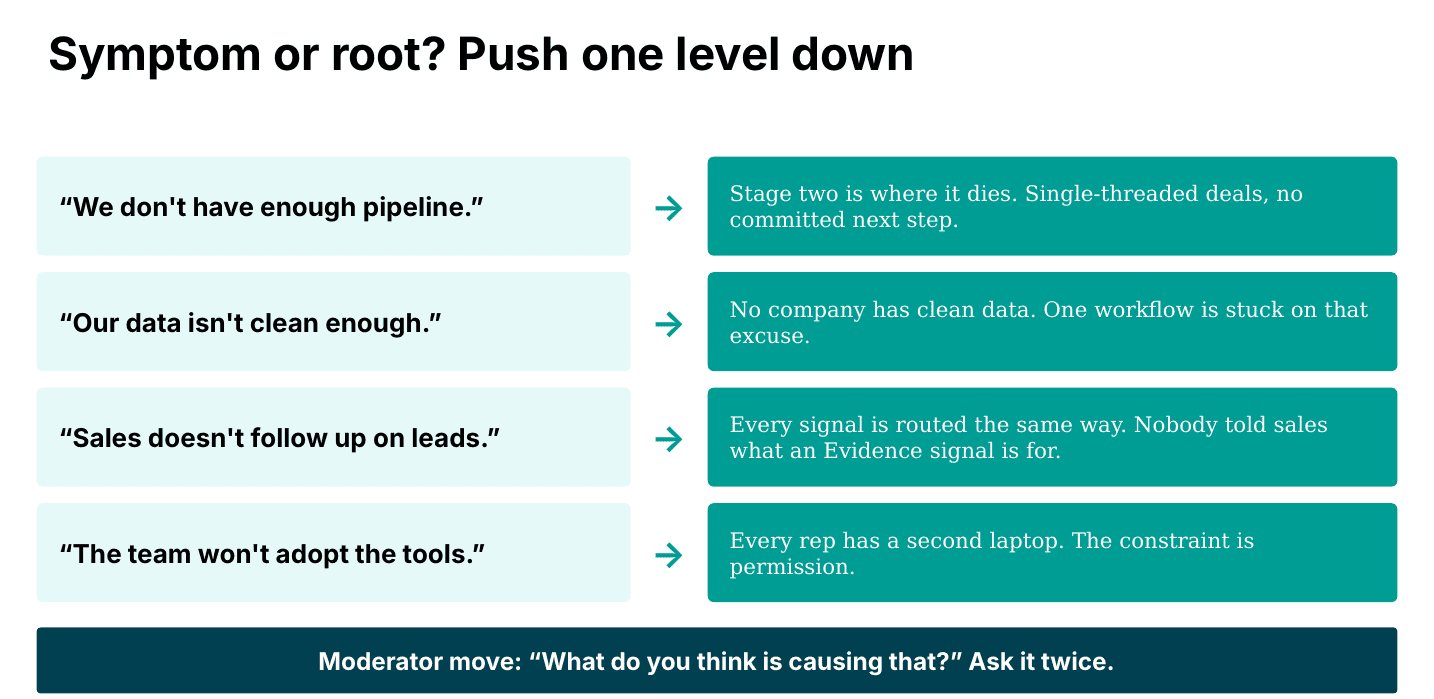
Ask what’s causing it (twice)
Under each constraint there’s a line that says: what’s causing that? Write down the second answer.
“We don’t have enough pipeline” is a symptom. Push once and you get “our conversion rate dropped.” Push twice and you get “every deal is single-threaded and nothing has a committed next step.” That third (and arguably most honest) answer is something a team can go fix.
The other thing that came up on Tuesday, at just about every table, was that the stated constraints weren’t specific enough once they got stress tested. “Fix our data silos” was a popular one. The follow-up from the table was usually “why?” Meaning, what’s the purpose of that integrated data? What decisions or actions are you hoping it will drive once it exists? “Fix our data silos” isn’t something you can point a workflow at. “Get call data into the CRM so reps can see which deals have gone quiet” is. That level of specificity is what narrows you to the right workflows and the right AI implementations, and it’s the difference between an integration project and real business impact.
Each constraint gets tagged as existing because of one of three gaps. This is the part that changes what people will ultimately do from all of this, so I’ll spend a minute on it.
Capability.
The distance between what the models can do and what your team actually does with them. OpenAI’s recent enterprise usage data shows nearly one in five monthly active users have never tried data analysis. Inside a paid license.
Governance.
The distance between how fast the technology moves and how fast your company’s permissions adapt (or don’t). Somebody chose an enterprise license a while back, and that choice is now the ceiling on what your team is allowed to build. A CMO I talked with recently has a team where every employee keeps a second laptop for the real AI work. That’s still terrifying to me.
Work design.
The distance between how the work really gets done and how well it’s designed for AI to do any part of it. Who does what, in what order, with what handoff. Shockingly little of this is written down anywhere.
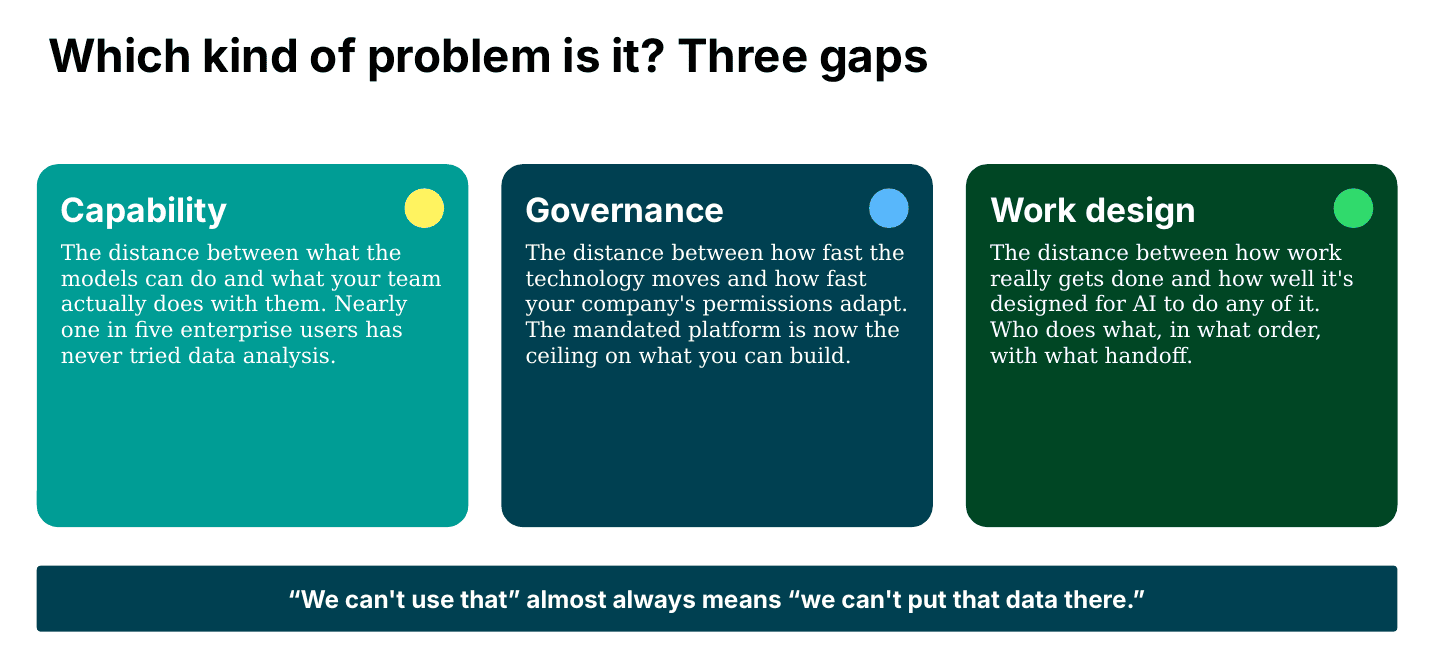
Many teams assume AI leverage is a capability constraint and reach for training. The real constraint often turns out to be governance or work design, and no amount of training is going to fix that.
“We can’t use that tool” almost always means “we can’t put our data there,” and those are different problems with different fixes.
Pick one
Page two of the worksheet is a deep dive on your pick. Of your three, which one changes the most if it’s fixed in the next 90 days?
The second half of the page builds the case. Why this one and not the other two. I’ve found that people who write that sentence down stop relitigating the choice an hour later, and the ones who skip it drift back to the safe constraint by the end of the session.
NOW the AI conversation is worth having
Why? Because now it finally has something to aim at, something important enough to the business to justify the really hard work ahead.
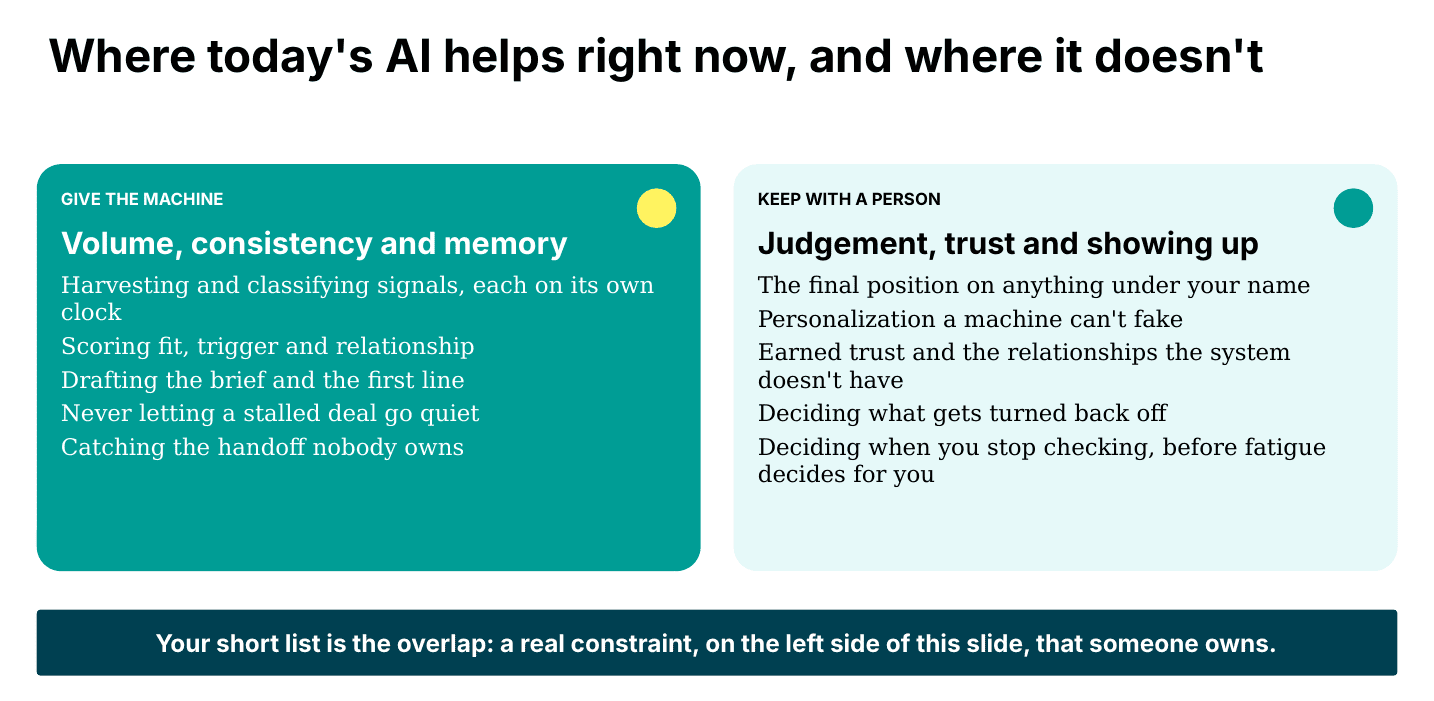
The worksheet asks for three places AI could help with the constraint you picked, ranked by leverage. The filter I keep coming back to is pretty simple. The machine is really good at volume, consistency and memory. Harvesting and classifying signals. Scoring. Drafting the brief and the first line. Never letting a stalled deal go quiet. Catching the handoff nobody owns.
What stays with a person is judgement, trust and showing up. The final position that goes out under your name. The personalization a machine can’t fake (and your buyers can tell). The relationships the system doesn’t have. And the call on when to stop checking the machine’s work, which honestly is the one most teams get wrong in both directions.
If an item on your list is mostly volume, consistency or memory, it’s a good candidate. If it’s mostly judgement or trust, be careful what you’re handing off.
Then your pick gets pressure-tested against five questions:
- What constraint are we relieving?
- What are we going to stop doing?
- What did this look like before? (No baseline, no business case.)
- Does it still run when the person who built it is out?
- What do we know that the model doesn’t, and is it written down anywhere?
Just about every stalled AI pilot I’ve seen skipped at least one of those. AI didn’t create the questions. It just made the cost of skipping them really hard to ignore.
One commitment, with a date on it
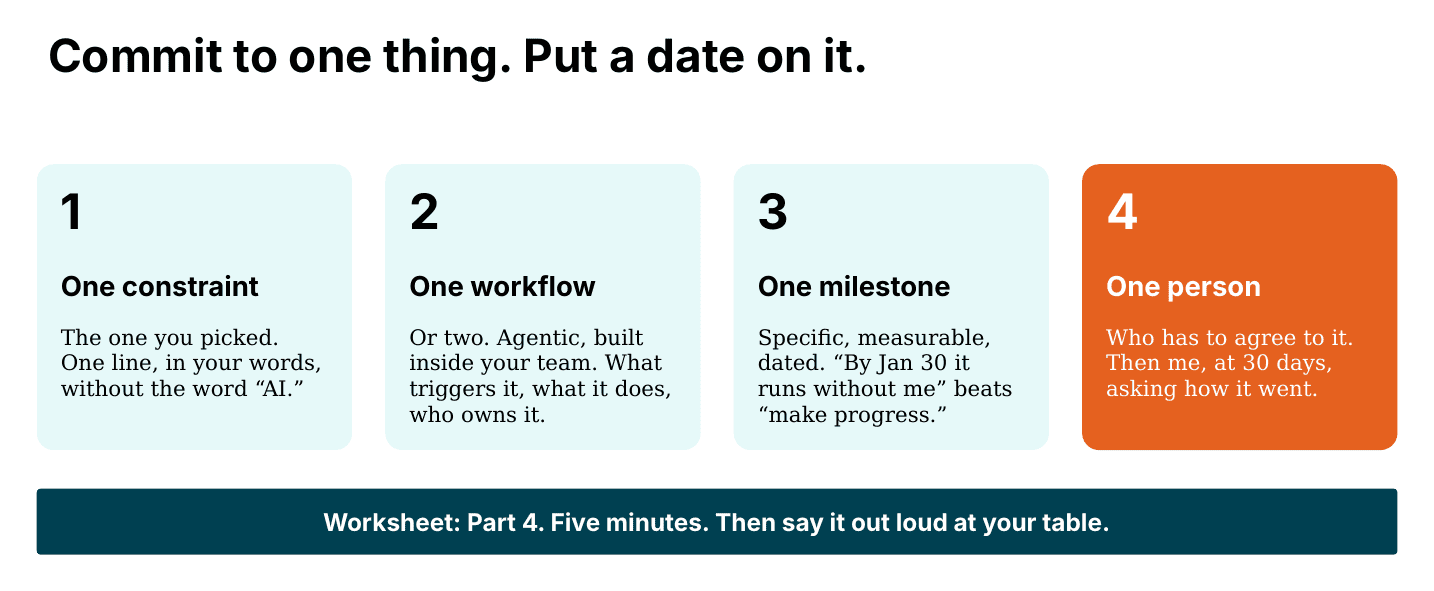
Page four is five minutes alone, then one line out loud at a shared table. Four boxes.
One constraint, in your own words. One workflow you’ll build inside your team (build, not buy), with the trigger, what it does and who it hands off to. One milestone that’s specific, measurable and dated, written so somebody could ask you about it in 30 days and you could answer with a number. “By January 30 it runs without me” beats “make progress.” And one person, the one who has to agree to it.
An offer we made in the room
The last box on page four is one I don’t think I’ve seen on another workshop worksheet. Tick it, photograph the four pages and send them to me (there was a QR code on every table card, or just email matt@heinzmarketing.com), and you get a written readout from me on what you wrote and a check-in at 30 days asking how it went. Nothing from your worksheet gets shared with 6sense or anyone else.
We left that box in the worksheet below on purpose. If you run this with your own group and want to send me what came out of it, I’ll take a look and get back to you as well. No obligation, no pitch.
Run it with your own team
Everything you need to run this workshop on your own is below: the slides, the four-page worksheet and a run of show written for someone other than me to facilitate, with the table questions, the timing and what to do when a table jumps straight to vendors by question two (it happens).
A few things I’d hold onto if you run it internally. Make people name the problem before anyone names a tool. Give them the quiet ten minutes on their own, because the worksheets fill out very differently when nobody’s performing for the room. Make somebody say their commitment out loud.
Two hours, five to seven people around a table, and everyone walks out with something written down that didn’t exist that morning. Free to download below. No form required, obvy.
Download the materials:
- Putting AI To Work On Your Greatest GTM Constraint – Slides (PDF, 836KB)
- Putting AI To Work On Your Greatest GTM Constraint – Worksheet (PDF, 108KB)
- Putting AI To Work On Your Greatest GTM Constraint – Run of Show (PDF, 145KB)
This post originally appeared on Matt Heinz’s Substack.